

Before you start
On the factory, you need the Connect a tracker permission. Theowner, admin and write roles have it.
You also need these rights in the tracker:
- Linear: you are an admin of the workspace, so you can authorize an application on it.
- Jira: you can create credentials for a service account in Atlassian Administration, and you hold the Administer Jira permission that creating a webhook needs.
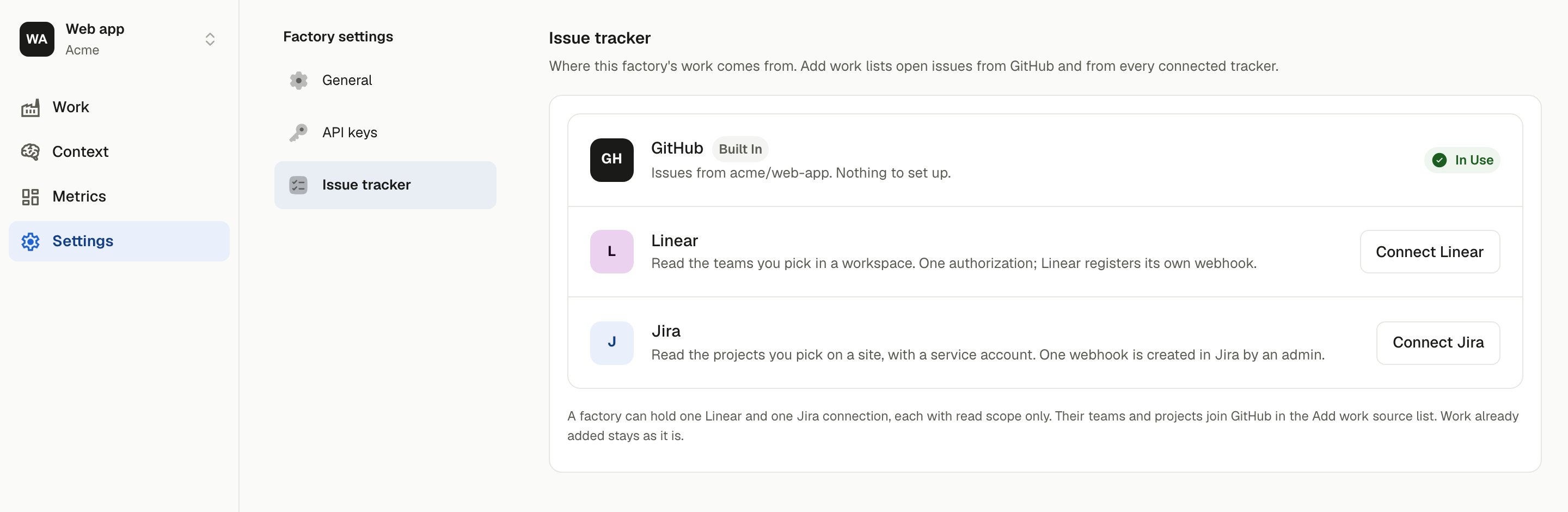
Settings → Issue tracker, with GitHub built in and Linear and Jira ready to connect.
- Linear
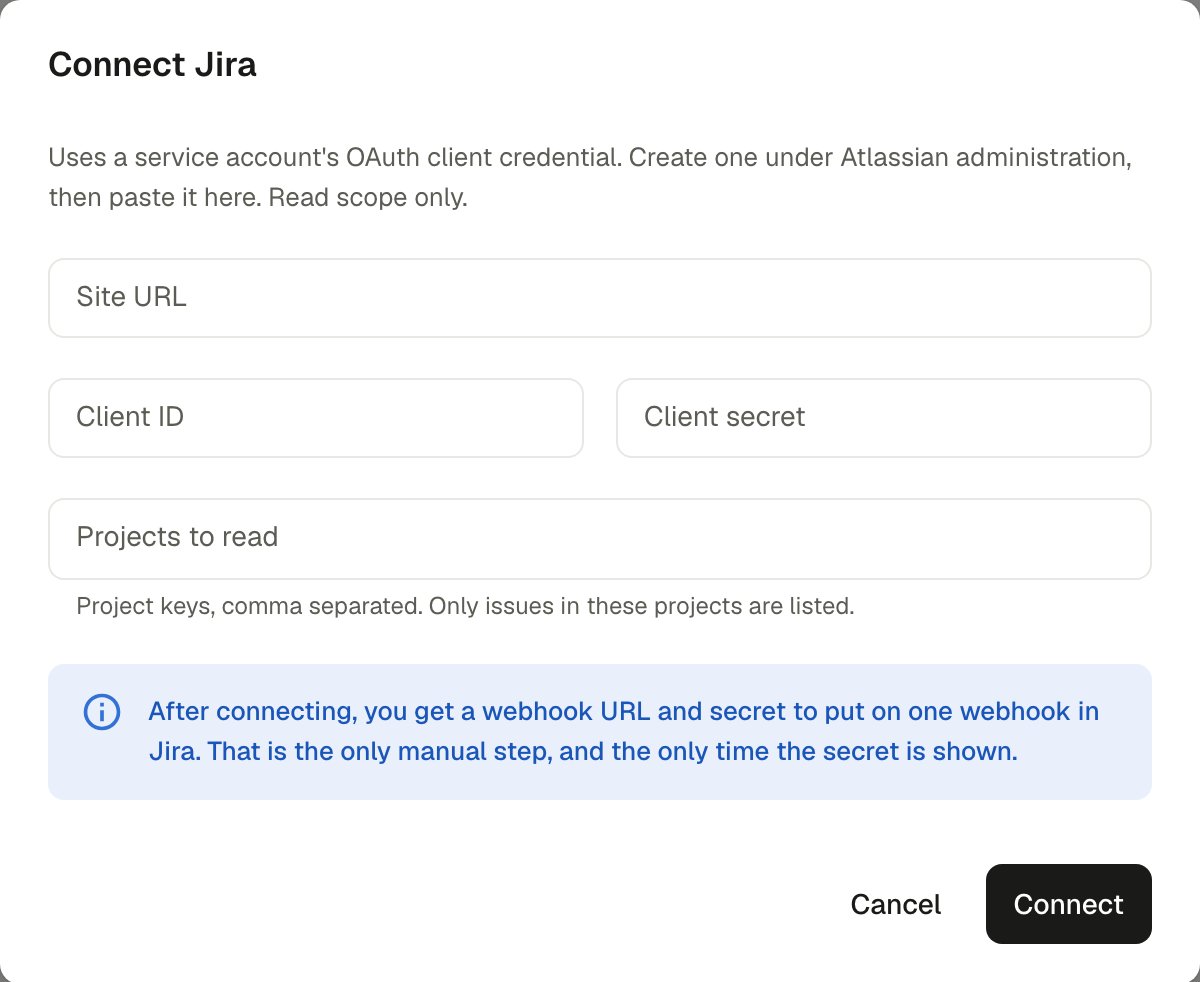
- Jira
1
Authorize the workspace
Choose Connect Linear. Linear asks you to authorize OuterLayer on a workspace with read scope only. Authorize a workspace that has at least one team.
2
Pick the teams to read
Back in OuterLayer, the Teams to read dialog lists the workspace’s teams. Only issues in the teams you tick are listed. Change the set later with Change on the connection’s card.
3
Done
Linear registers its own webhook, so issue changes reach the Work page as they happen. There is nothing to paste.
What a tracker item looks like
A work item from any tracker gets a number on the factory, and that number is what a session is launched with. See Launch a session.
From the terminal
outerlayer work build also takes a Linear or Jira key, not only a GitHub issue number:
--repo <owner/name> to say which repository the work goes into. A Linear or Jira key never takes the checkout’s remote, unlike a plain issue number. Without --repo, the item has no repository, and a host cannot build it.
Pass --tracker linear or --tracker jira when the factory has connected both trackers. A key like ENG-142 does not say which tracker it belongs to. See the CLI reference for every flag work build takes.